Documentation Index
Fetch the complete documentation index at: https://docs.zbdpay.com/llms.txt
Use this file to discover all available pages before exploring further.
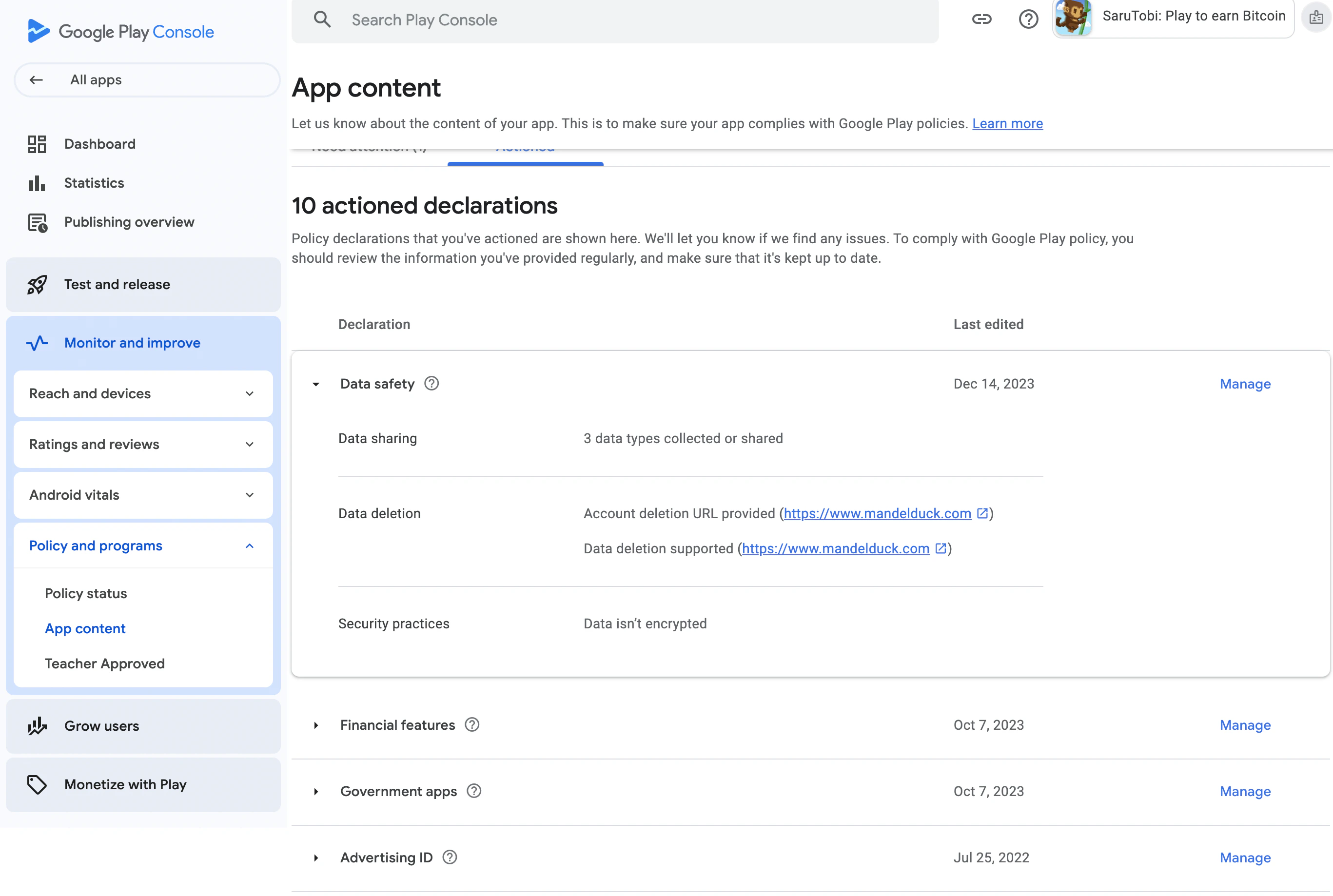
Accessing App Content
Select App Content from the menu on the left side
In the left sidebar, go to Monitor and improve → Policy and programs → App content. Select the Actioned tab.
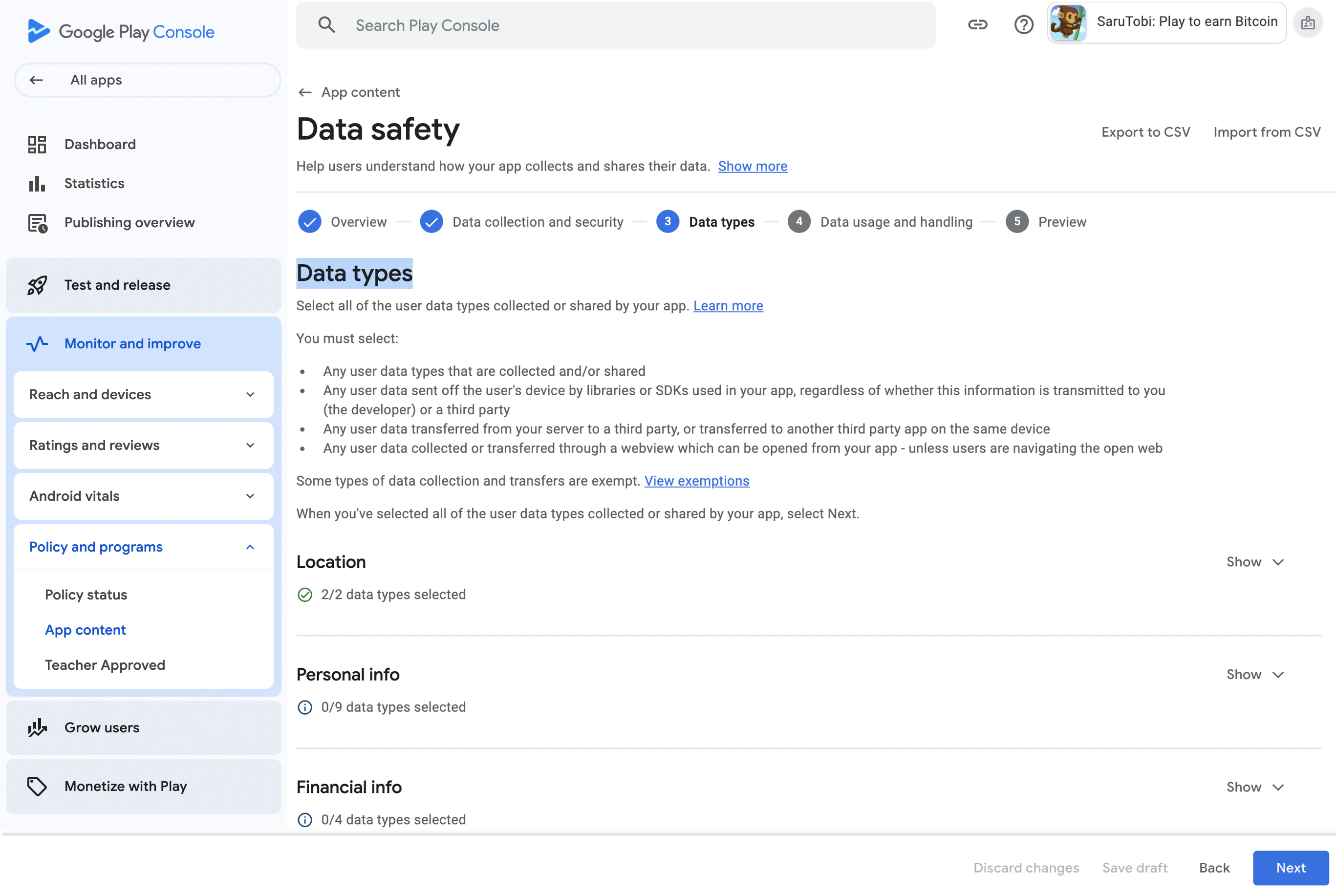
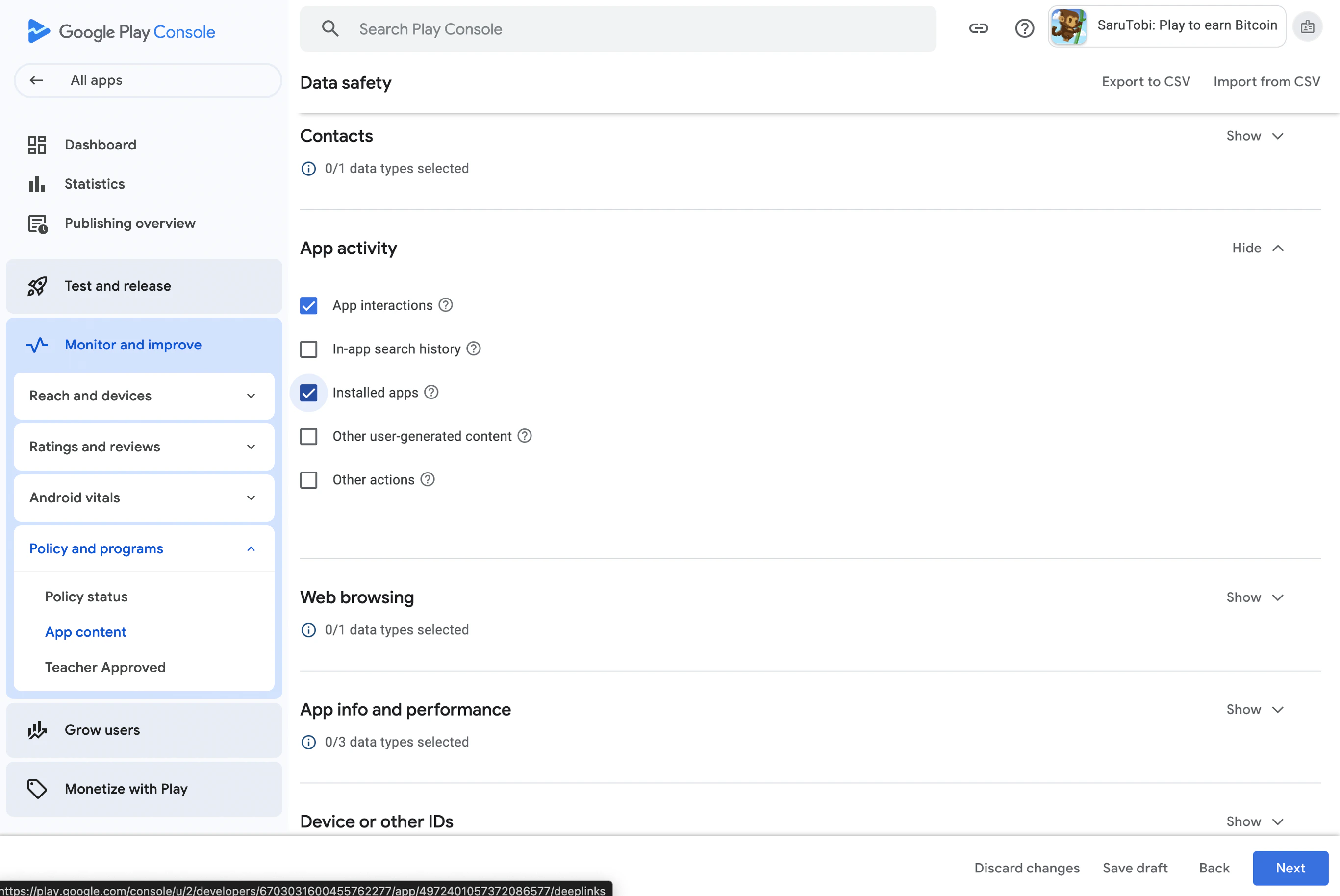

4. Data Usage and Handling
- In the Data Usage and Handling section, expand App Activity and click Start.
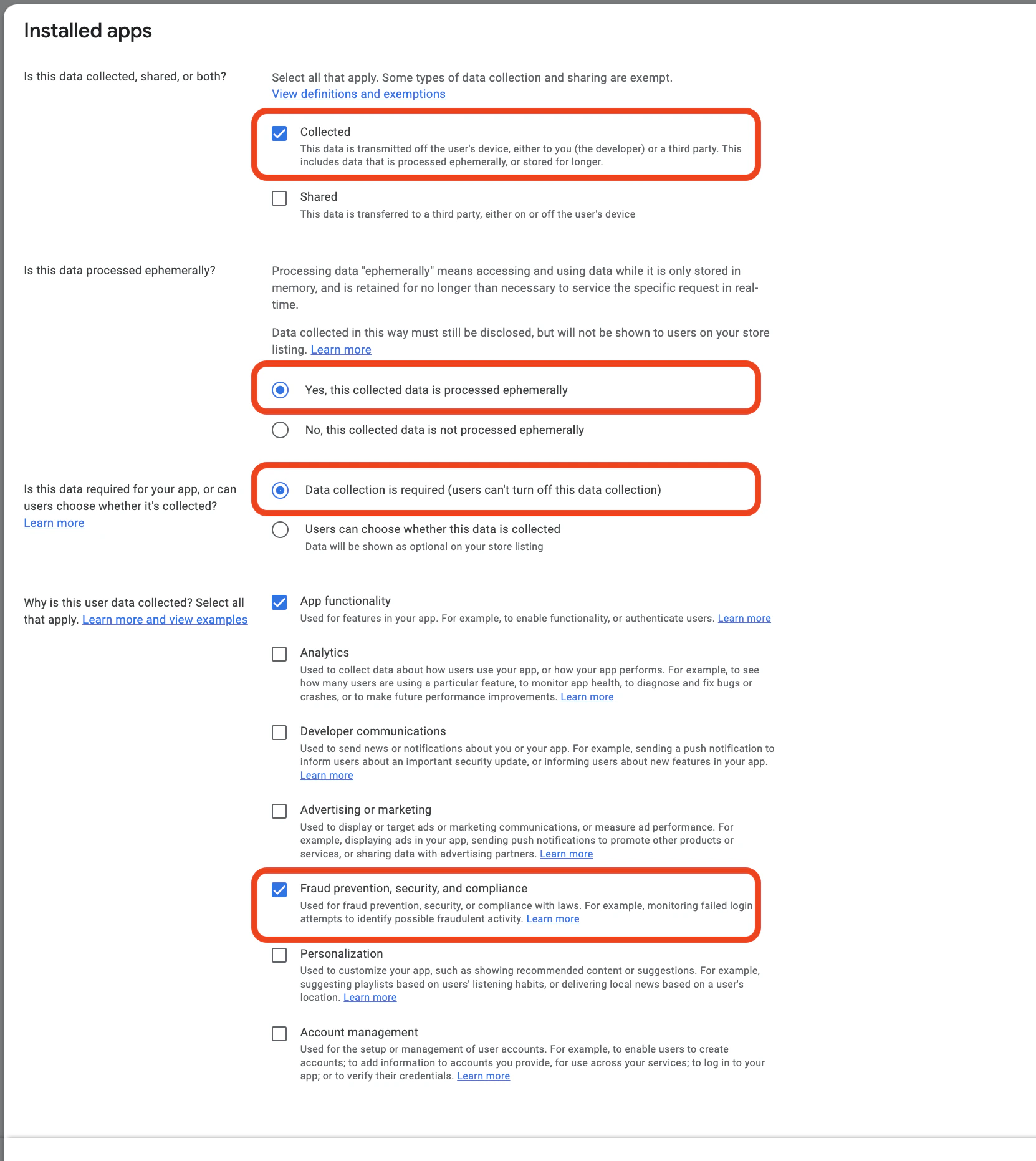
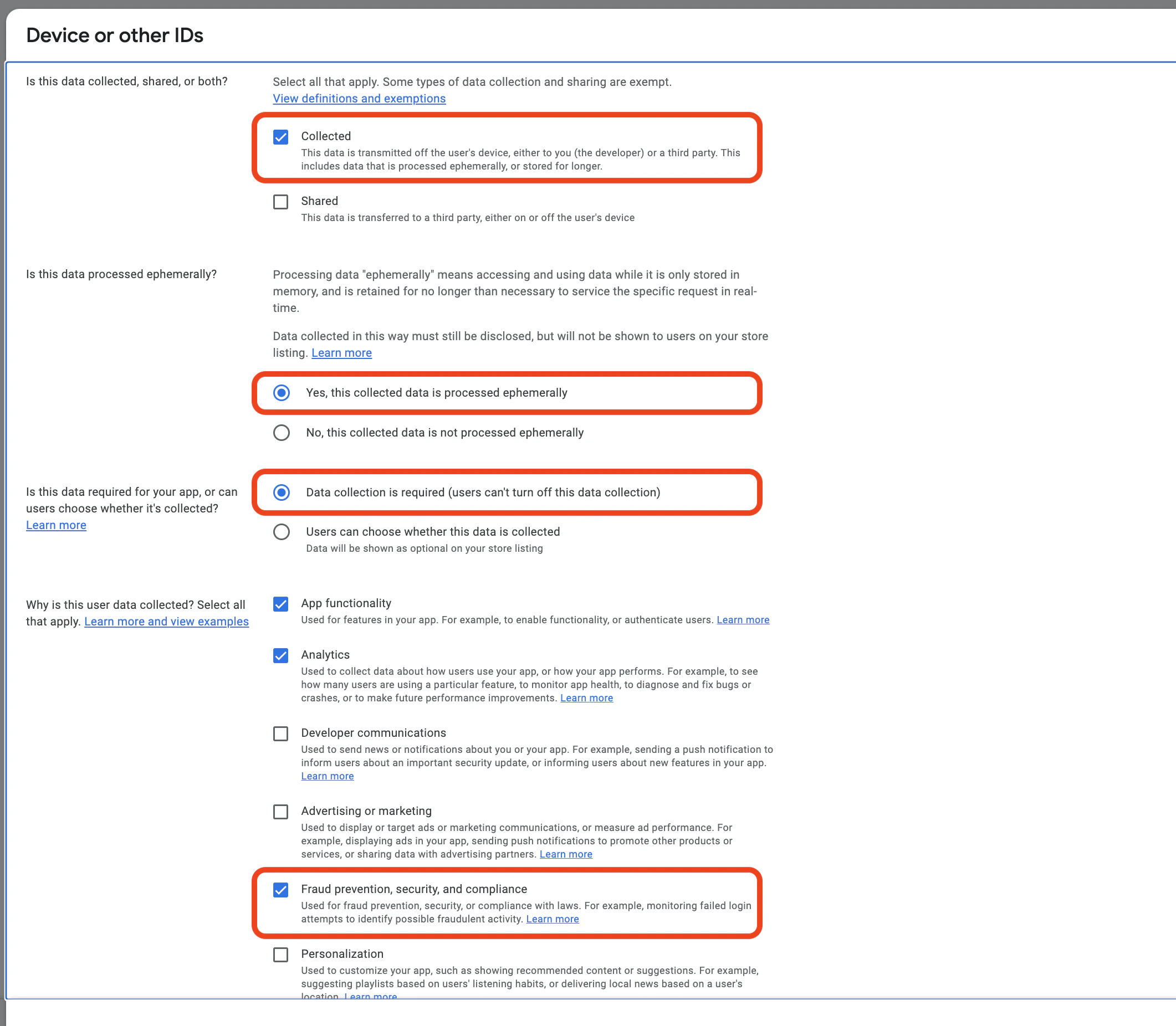
- Choose Collected
- This is NOT processed ephemerally
- Select Data collection is required (users can’t turn off this data collection) if applicable.
- Under the reasons for data collection, select Fraud prevention, security, and compliance.
| Data Types | Collected | Shared | Processed ephemerally | Required or Optional | Purposes |
|---|---|---|---|---|---|
| Installed applications | Yes | No | No | Required | Fraud Prevention |
| User IDs | Yes | No | No | Required | Fraud Prevention |
| Device or other IDs | Yes | No | No | Required | Fraud Prevention |